


Transcribe audio to text
Camtasia makes it quick and easy to transcribe audio using AI-powered transcription software, converting recordings into editable, high-accuracy text in seconds.
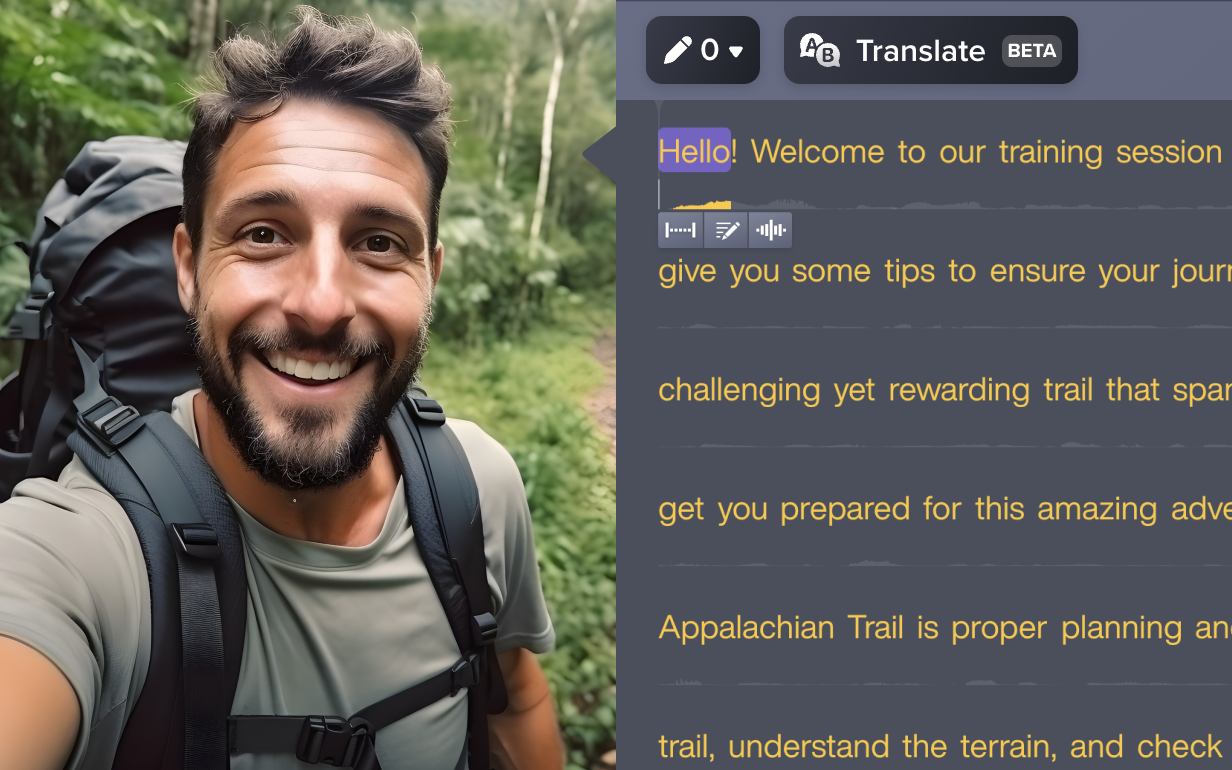
Transcribe audio quickly and accurately with built-in AI
With Camtasia’s AI transcription tools, you can:- Transcribe audio files instantly and edit directly in the timeline
- Export high-accuracy transcripts in SRT, DOCX, or TXT formats
- Use built-in speech recognition for multilingual content
- Support accessible workflows for video transcription and podcast editing
Camtasia uses advanced AI transcription to convert your audio recordings into accurate, editable text—no manual effort or third-party tools required. Whether you’re transcribing a podcast, video, or meeting audio, Camtasia makes it easy to generate captions and export transcripts across multiple formats.
You can transcribe WAV, AAC, MP3, or FLAC audio files (and more), with support for languages like Spanish, French, Japanese, and German. Camtasia’s AI-powered transcription software also enables real-time syncing with your audio recording, so your captions are always on point.
TRANSCRIBE AUDIO TO TEXT IN CAMTASIA
How to transcribe audio to text with Camtasia Audiate
Transcribing audio to text with Camtasia Audiate is simple and saves you valuable time. Here’s how you can do it in three easy steps:
1
Step 1: Import your audio file
Start by uploading your audio or video file. Camtasia supports formats like WAV, MP3, FLAC, AAC, and more, making it easy to convert audio files from any source.
2
Step 2: Transcribe the audio
Once your audio file is uploaded, Camtasia uses AI transcription to automatically convert speech to text in real time, supporting multiple global languages and caption formats.
3
Step 3: Edit and finalize
Review the transcription and make any necessary edits directly within Camtasia Audiate. Once you’re satisfied, you can export the text or integrate it directly into your video project.
Why use Camtasia Audiate for transcription?
Camtasia Audiate isn’t just another transcription tool—it’s designed to save you time and enhance the quality of your content. Here’s how:
Unlimited transcriptions
With Camtasia, you get unlimited, AI-powered transcriptions, which is perfect for teams working across multiple projects, formats, or content types. Transcribe as much content as you need without worrying about running out of credits or hitting any caps.
Multi-language support
Create captions in multiple languages with ease, even if you don’t speak the language yourself. Camtasia Audiate converts speech to text and supports a wide range of languages, helping you to reach a broader audience and making your content globally accessible.
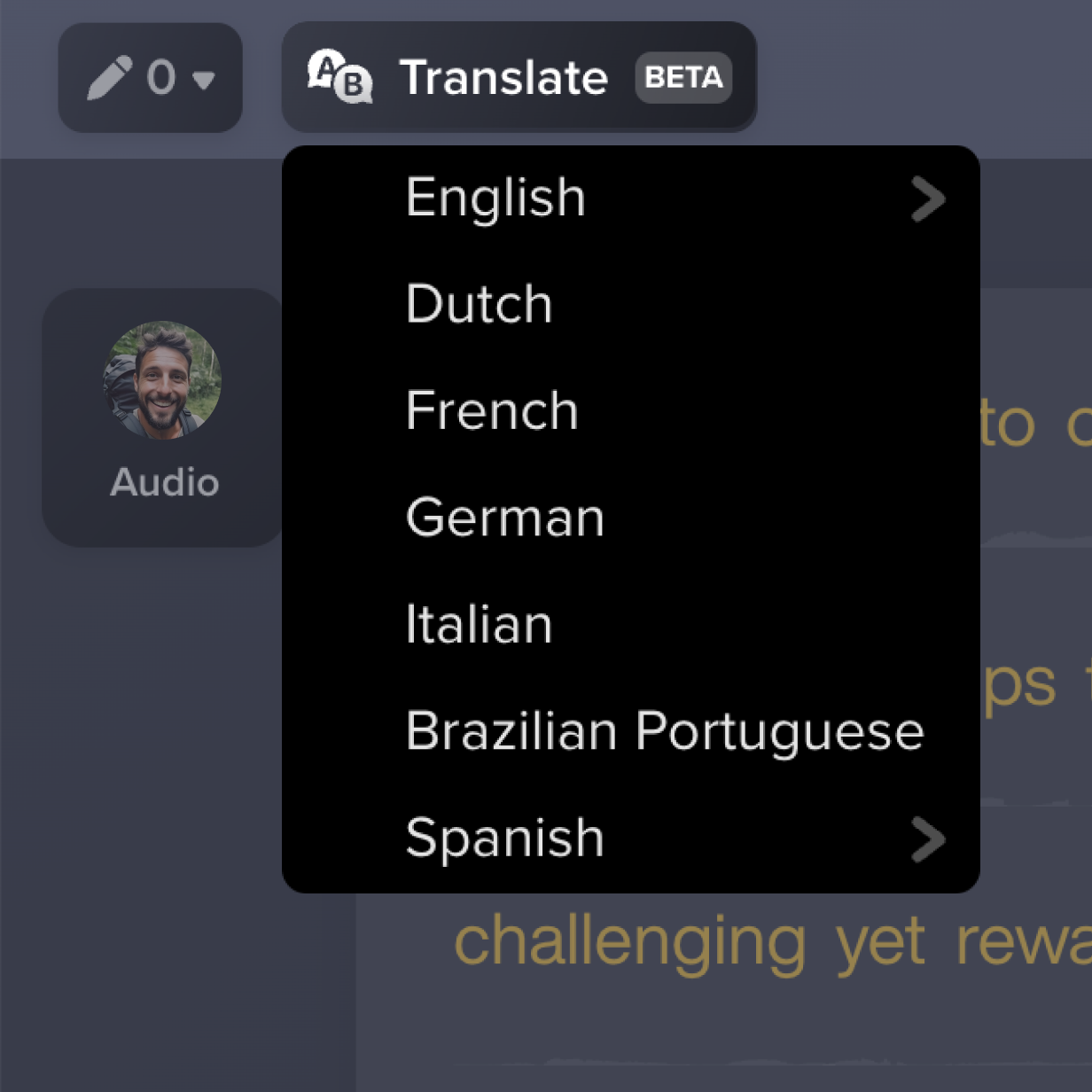
Create engaging and accessible content faster
Transcribing audio manually can be time-consuming. Camtasia Audiate automates this process, allowing you to quickly generate captions and text, freeing up more time to focus on creating dynamic and engaging content.
Get started with Camtasia Suite
FAQ
Yes. Camtasia Audiate uses speech recognition to transcribe audio in multiple languages, making it easy to generate captions and text for a global audience.
No. Audiate offers unlimited transcriptions, so you can transcribe as much content as you need without restrictions. Uploaded files are automatically converted into accurate transcripts.
Absolutely! Audiate supports both ADA-compliant captions and dynamic TikTok-style captions, giving you the flexibility to tailor your content to different platforms and audiences.
Yes. You can edit the transcript directly in Audiate to quickly make changes and ensure accuracy before using it in your video.
Yes, Camtasia Audiate’s text converter automatically syncs the transcript with your audio, making it easy to create perfectly timed captions or subtitles.
You can get a 7-day free trial if you’d like to see what Camtasia Audiate has to offer! Aside from that, Camtasia offers paid transcription services through its AI tools. While not a free transcription tool, the unlimited usage and high accuracy offer better ROI than most traditional transcription services.
Absolutely! Camtasia Audiate allows you to export the audio transcription in various formats for use in documents, scripts, captions, or other projects outside of Camtasia.
Still need help? Contact us!
Check out our tutorial that will walk you through everything you need to know.
Still can’t find what you need? Contact us and we’ll help you out.