


CHANGELOG

What’s new in Snagit?

Turn on your auto-updates because our team is always cooking up something fresh.

Filter posts

Clear filters

Release Type

Operating System

Tags

February 2026

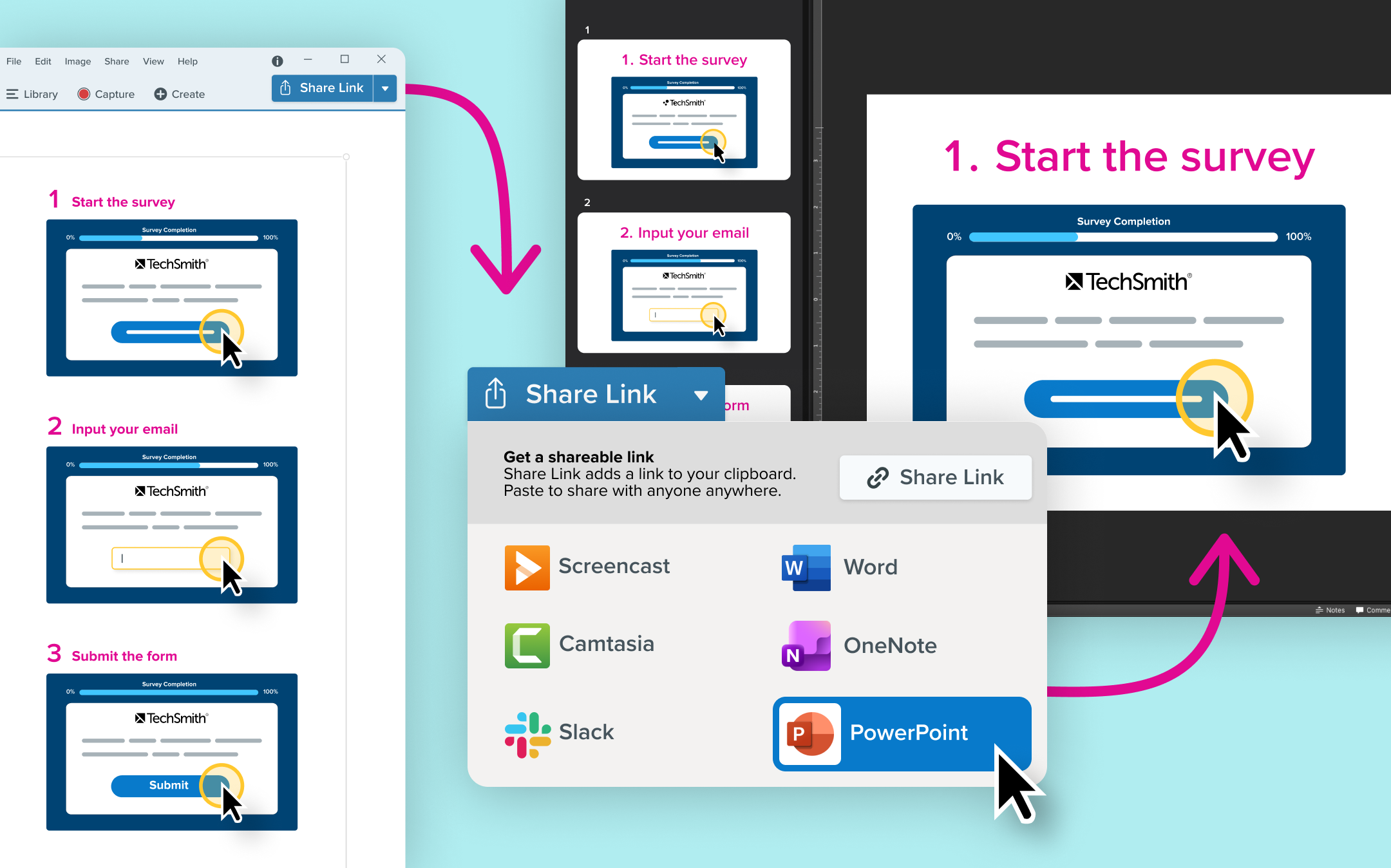
An Step Capture is open in the Snagit editor. The share drop down indicates Power Point is selected. Next to it is an image of the steps open as slides in a PowerPoint slideshow.

Share step captures to PowerPoint

Export Step Captures straight to PowerPoint, with each step automatically turned into an editable slide.

Turn your how-to guides into videos, presentations, or supplimental training materials by sharing your Step Capture to PowerPoint. Export step-by-step captures directly into editable slides, making it easier than ever to build SOPs and training materials.

  • Send each step as its own PowerPoint slide
  • Keep text fully editable for quick updates
  • Adjust layouts using familiar PowerPoint tools
  • Record a video over your PowerPoint for video+guide 1-2 punch.
  • Ready to try it for yourself?
    View Tutorial
    Snagit
    WindowsMacOS
    Screen CaptureEditing
    2026.1.0
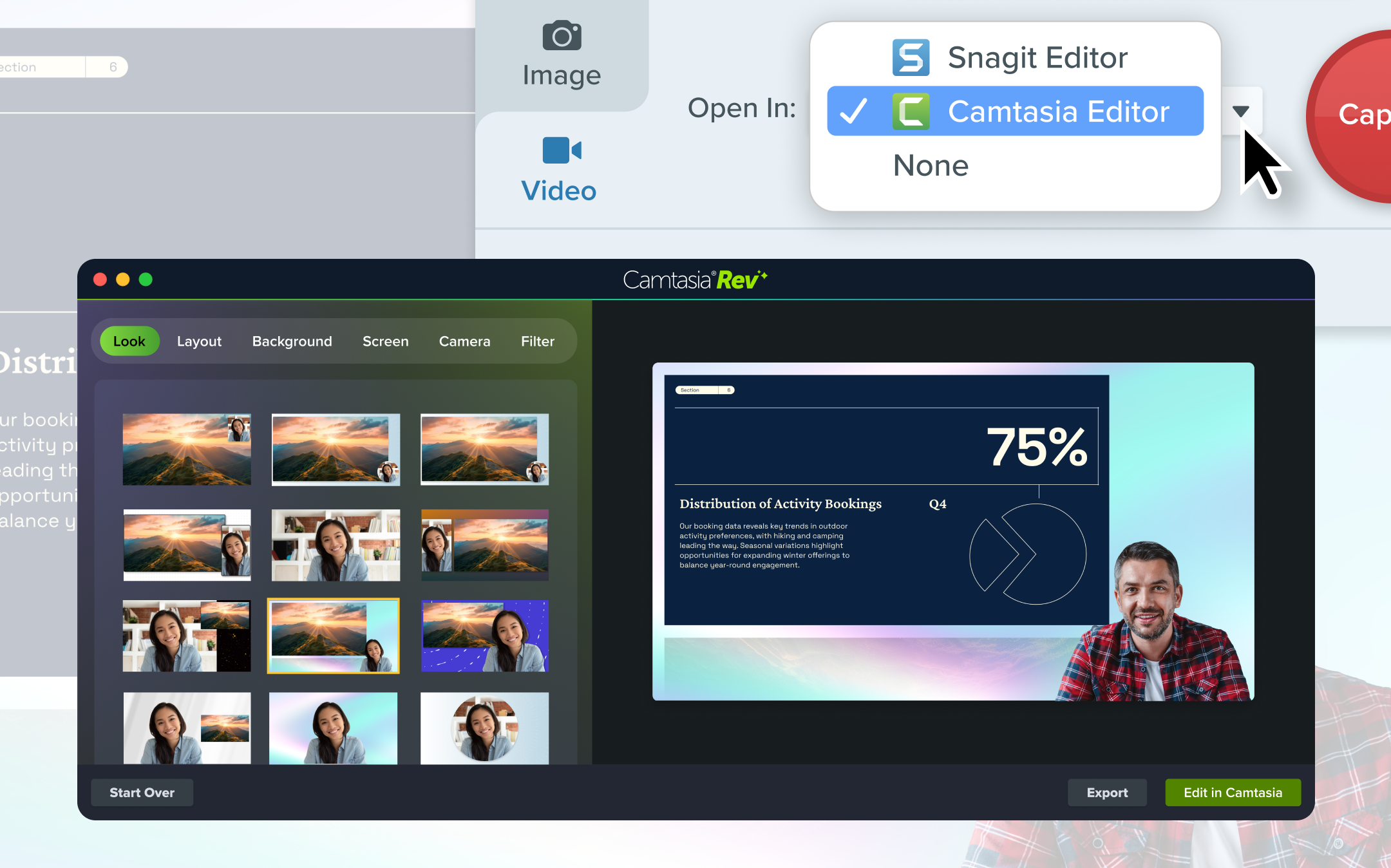
    A cursor selecting "Camtasia Editor" from the "Open In" menu. An image of a video in the Camtasia Rev editting interface is also shown.

    Open Recordings in Camtasia Editor

    Using Snagit, open your recordings directly in Camtasia Editor for full control and polished video editing.

    When starting a recording in Snagit you can select “Open in Camtasia Editor ” to instantly bring your video into Camtasia’s Rev workflow for flexible, professional-quality editing.

  • Capture separate tracks for screen, webcam, and cursor
  • Apply Looks to create polished videos faster
  • Edit with full timeline control in Camtasia Editor
  • Easily graduate from quick clips to high-impact training content
  • Note: Exports from the Camtasia Editor may include a watermark in some plans.

    Ready to try it for yourself?
    View Tutorial
    Snagit
    WindowsMacOS
    Screen RecordingEditing
    2026.1.0

    December 2025

    Smarter Redact Updates

    Smart Redact just got better! Quickly redact sensitive information by automatically finding and removing similar content across your screenshots.

    Snagit
    MacOS
    EditingAI
    2026.0.0

    November 2025

    Browse assets in Snagit

    Browse and add stamps, templates, themes, and photos directly inside Snagit—no browser required.

    Snagit
    MacOS
    Editing
    2025.4.0

    Picture-in-picture webcam border

    Add a customizable webcam border to make your camera stand out clearly in screen recordings.

    Snagit
    MacOS
    Screen RecordingEditing
    2025.4.0

    October 2025

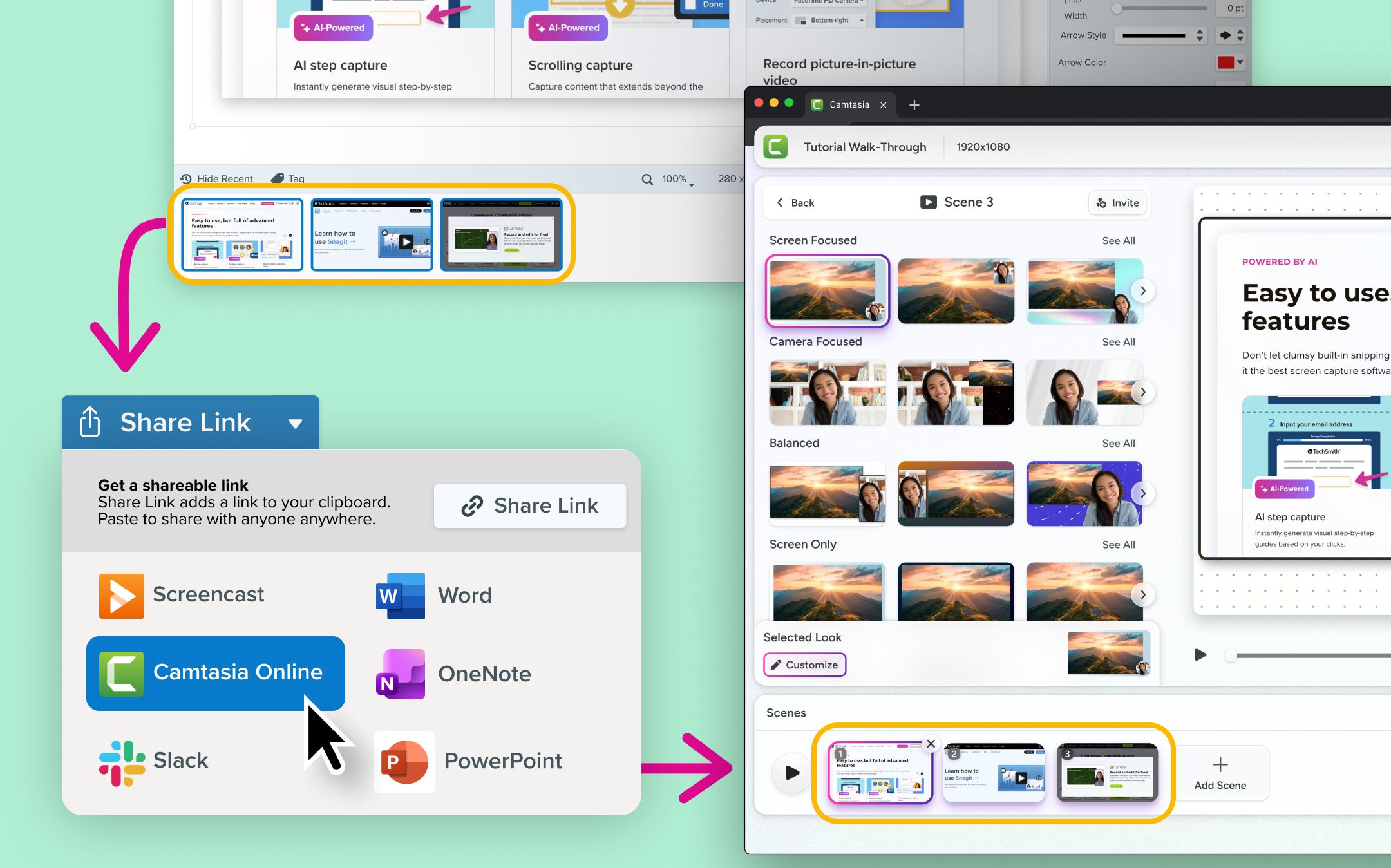
    An series of images are selected in the Snagit tray. The share drop down indicates Camtasia Online is selected. Next to it is the same images open in the Camtasia Online timeline.

    Share images to Camtasia Online

    Send screenshots to Camtasia online to record over them, add polish, and share instantly.

    Create a video from images with the new Share imagage to Camtasia Online workflow. Send images from your Snagit library into Camtasia online, record a quick camera overlay, and create a more engaging, polished message in seconds.

  • Import each image as its own scene automatically
  • Record camera video over your screenshot for added context
  • Apply Looks for instant professional polish
  • Share a link for fast feedback and async collaboration
  • Snagit
    WindowsMacOS
    Screen CaptureEditingCollaboration
    2025.4.0

    August 2025

    Step Capture Improvements

  • The cursor is now editable in the guide. Users can move, remove, or resize the cursor to improve clarity and accuracy.
  • Guides created with Step Capture can now be exported to Microsoft Word for further editing.
  • Snagit
    MacOSWindows
    Screen CaptureEditing
    2025.3.0

    UI Improvements

  • Updated the Editor user interface to show both Library and Editor options on the main toolbar.
  • Added clearer messaging to the Account dropdown for users who continue in trial mode after their subscription expires.
  • Updated the tutorials button in the Learning Center to open a help PDF if the user’s computer is not connected to the internet.
  • Updated Capture Window tab names for improved accessibility with screen readers.
  • Snagit
    Windows
    Editing
    2025.3.0

    Send Multiple Images to Camtasia

    Updated to support sending multiple files simultaneously to the Camtasia Editor

    Snagit
    MacOSWindows
    Collaboration
    2025.3.0

    Bug Fixes

  • Fixed an issue where users might get a Failed to Save error if the Snagit Library is set to save to a cloud service such as OneDrive or Dropbox.
  • Fixed a crash when opening Share Preferences from the View menu in the Capture Window.
  • Fixed a crash that could occur when exiting Snagit during an auto save.
  • Fixed a crash that could occur when starting a Step Capture.
  • Fixed an issue where the Snagit Library did not remember the zoom level set by the user.
  • Fixed an issue where an image dragged from the tray onto another image might disappear or be cropped when you apply an effect.
  • Fixed an issue where cursors would still appear in Step Captures when the Capture Cursor setting was turned off.
  • Fixed an issue where sharing a Step Capture to multiple destinations from the Capture *Window did not work as expected.
  • Fixed an issue where a hotkey in use error might show when starting a Step Capture.
  • Fixed an issue in the Capture Window where the Share destination selection would be ignored when using Step Capture.
  • Fixed an issue where opening an image might result in an incorrect error message after using the Edit in Snagit option in Camtasia.
  • Fixed an issue where corner rounding could be applied inconsistently in some situations.
  • Fixed an issue where the preference to hide Snagit during capture did not work as expected.
  • Fixed an issue where moving or resizing objects in some circumstances might cause temporary artifacts on the canvas.
  • Fixed a rare issue where page navigation for Snagit Printer captures might not appear or close as expected.
  • Snagit
    Windows
    IT and Security
    2025.3.0